 OrdenZ
A real cafe, open right now.
This is the real OrdenZ app with a sample cafe that never closes. Orders, table bookings, deliveries, clean-ups and staff stars arrive every few minutes. Be the owner, the cashier, the chef or the kiosk, and try anything: the demo cafe is reset every night.
The live demo server is being set up. Until then, the links open a quick browser preview, or ask us for a walk-through.
Nine things to try
Each one opens the right screen as the right person. Open two at once, say the kiosk and the chef, to watch an order travel.
Order on the kiosk
Tap Start, pick a latte, choose large with oat milk, and pay with the UPI code. Try switching the language.
As the kiosk → 2Cook it
Your order appears in a second. Tap Start, then Ready, and watch the token TV call the number.
As the chef → 3Split a bill
Add three items, tap Split / more, choose Equal split, and pay one share by UPI and one in cash.
As the cashier → 4Accept a table QR order
Guests order from the code on their table. Accept it at the top of the counter and it goes to the kitchen.
As the cashier → 5Take a Swiggy order
Choose Delivery, then Swiggy: prices switch to the app's menu. Type the app's order number and send it to the kitchen.
As the cashier → 6Close the cash drawer
Open Cash drawer, tap Count and close, type how many notes of each kind, and see the difference straight away.
As the cashier → 7Enter a supplier bill
Tap Enter an invoice, add a few items with their tax, and watch the stock and recipe costs change.
As the store keeper → 8Check the books
In Reports: what each delivery app still owes, the GST summary with a Tally export, and all outlets on one screen.
As the owner → 9Prepare a MyInvois file
Switch to the Kuala Lumpur cafe, open Reports, then e-Invoice: the month's consolidated e-invoice is ready to download.
As the owner, Malaysia →Open the demo as…
Each role sees only what its job needs, just like in your cafe. The colours match the app's tabs.
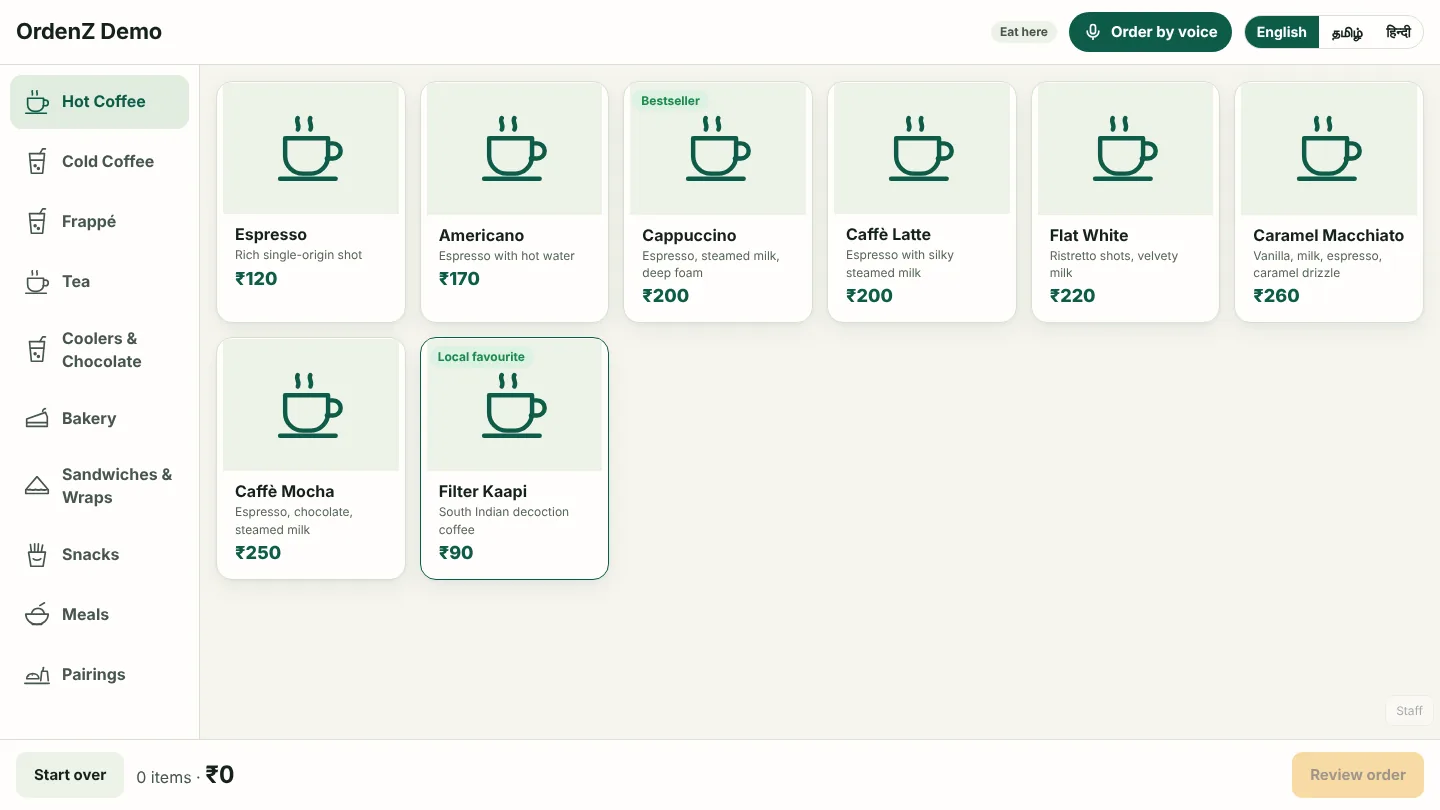
Self-order kiosk
What customers see: a photo menu in four languages, voice ordering and a UPI code for the exact amount.
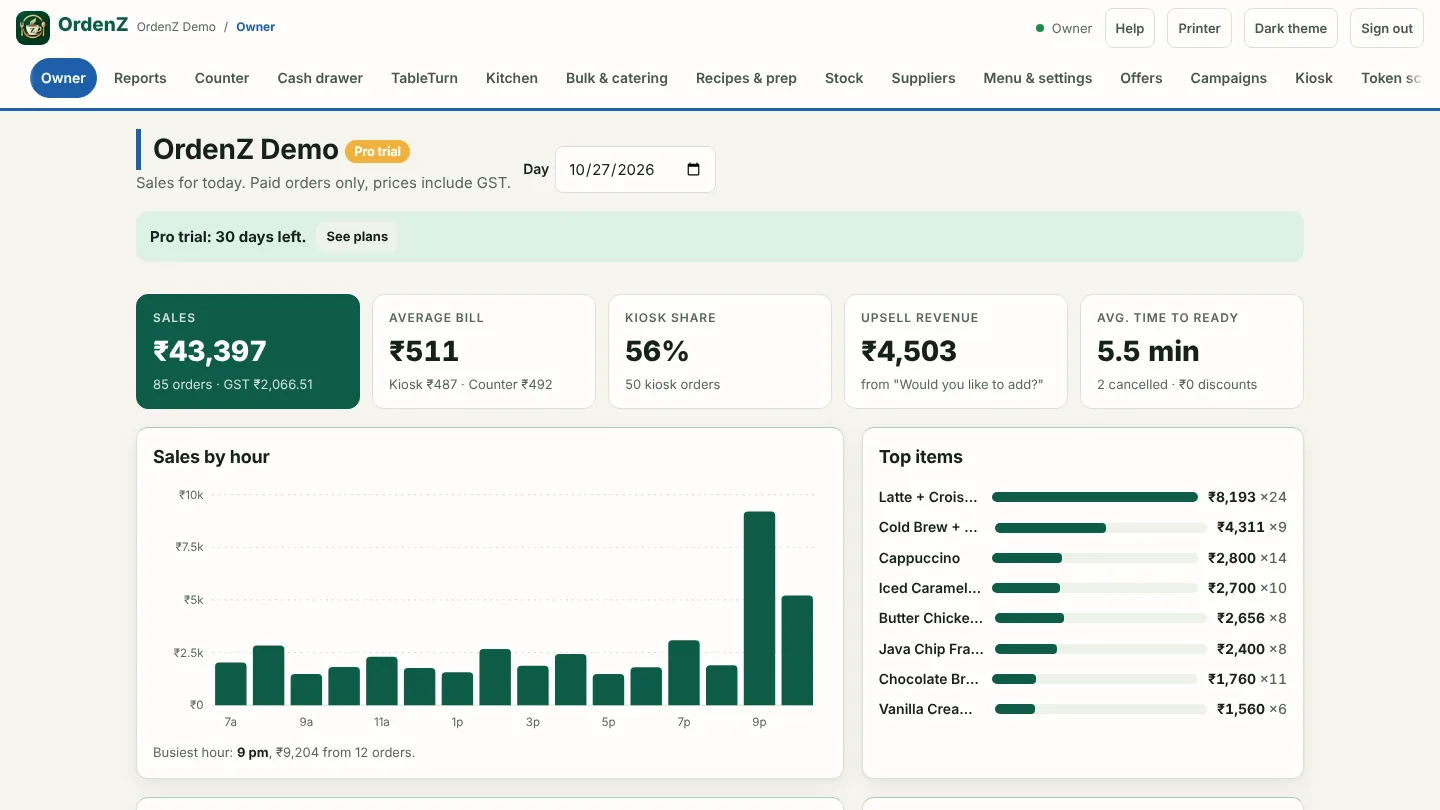
Owner
Today's sales, top items and busy hours, then Reports for delivery-app payouts, the Tally export and all your outlets.
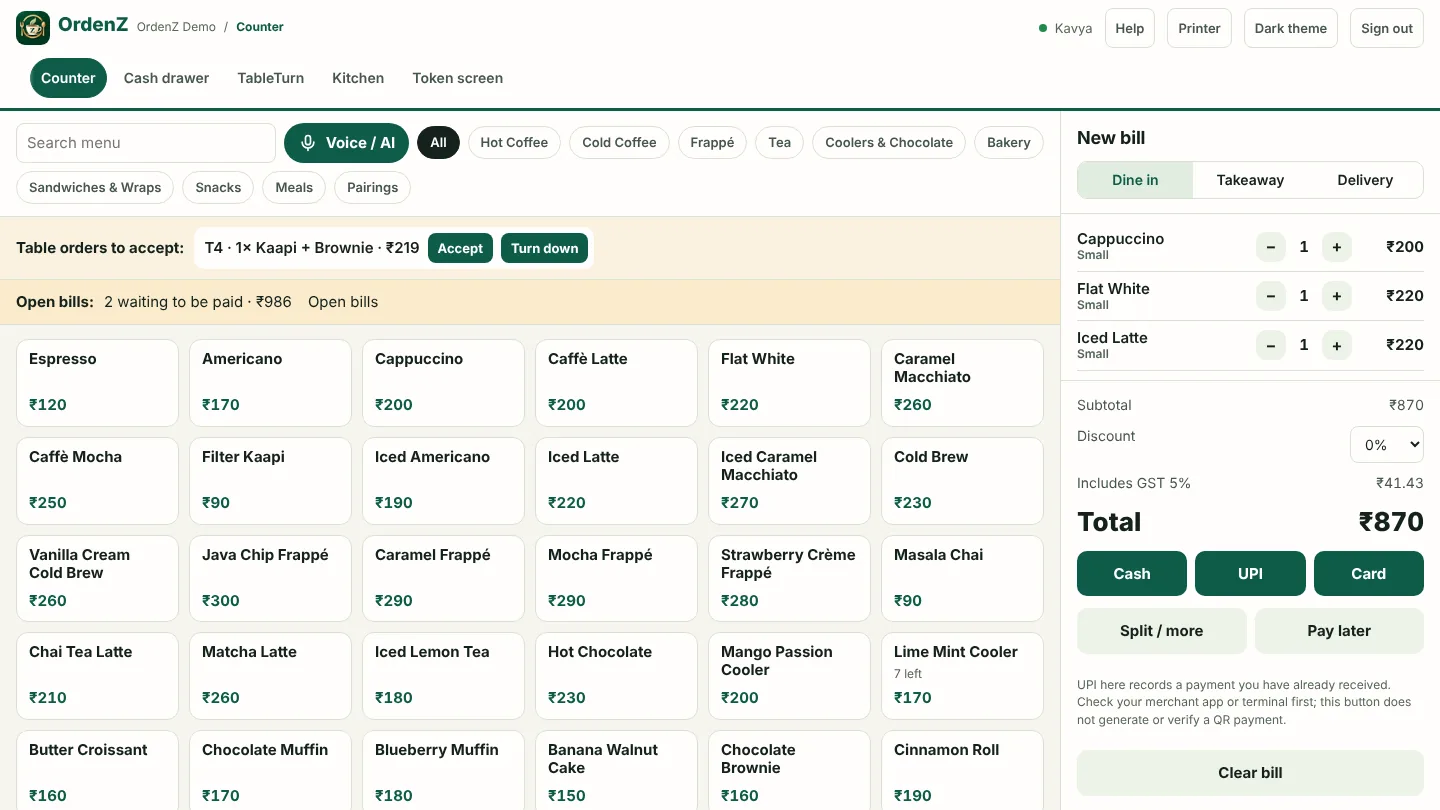
Cashier
Counter billing with split bills, open tabs, delivery-app orders, table QR orders to accept, and the cash drawer.
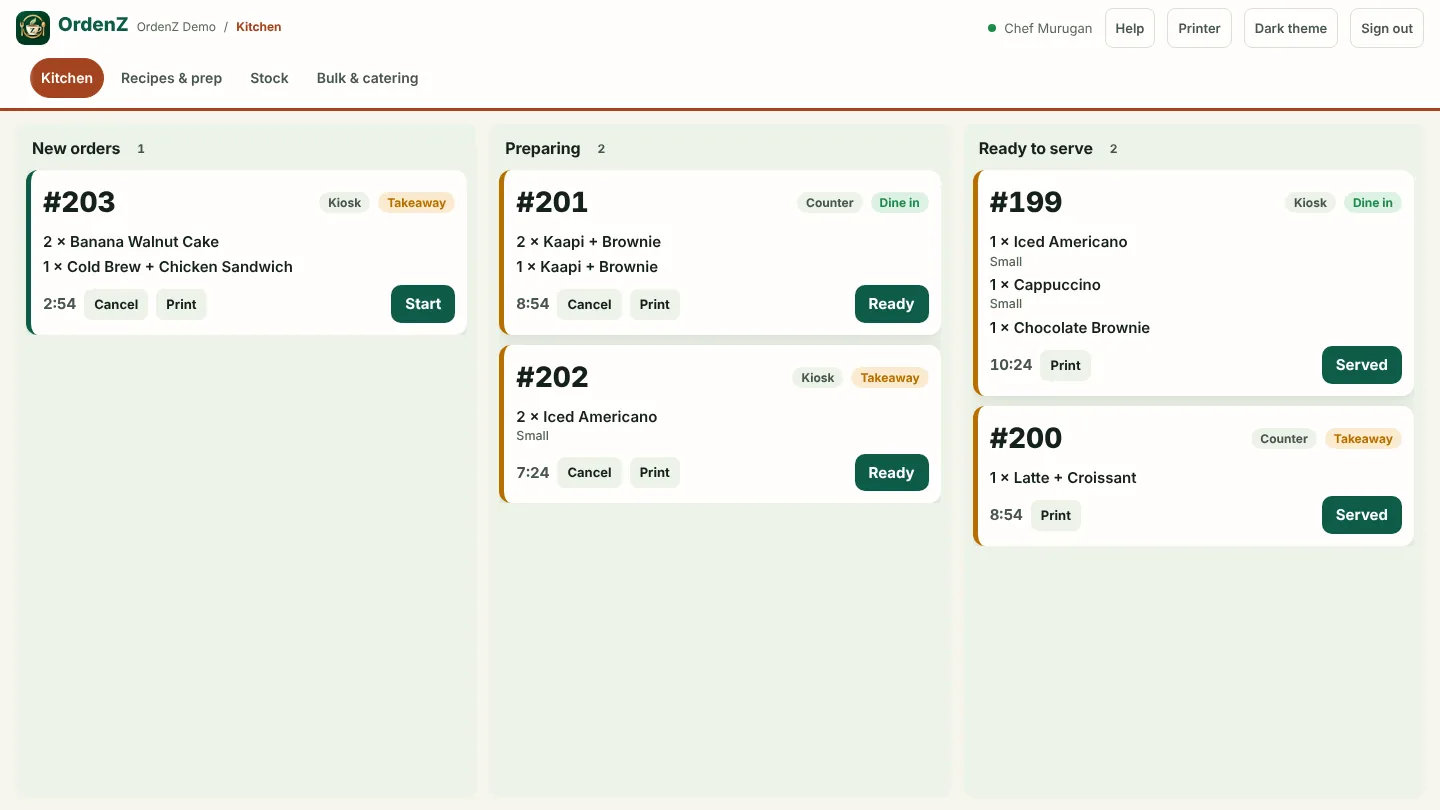
Chef
Live tickets from every source, standard recipes, batch cooking and the catering orders to cook.
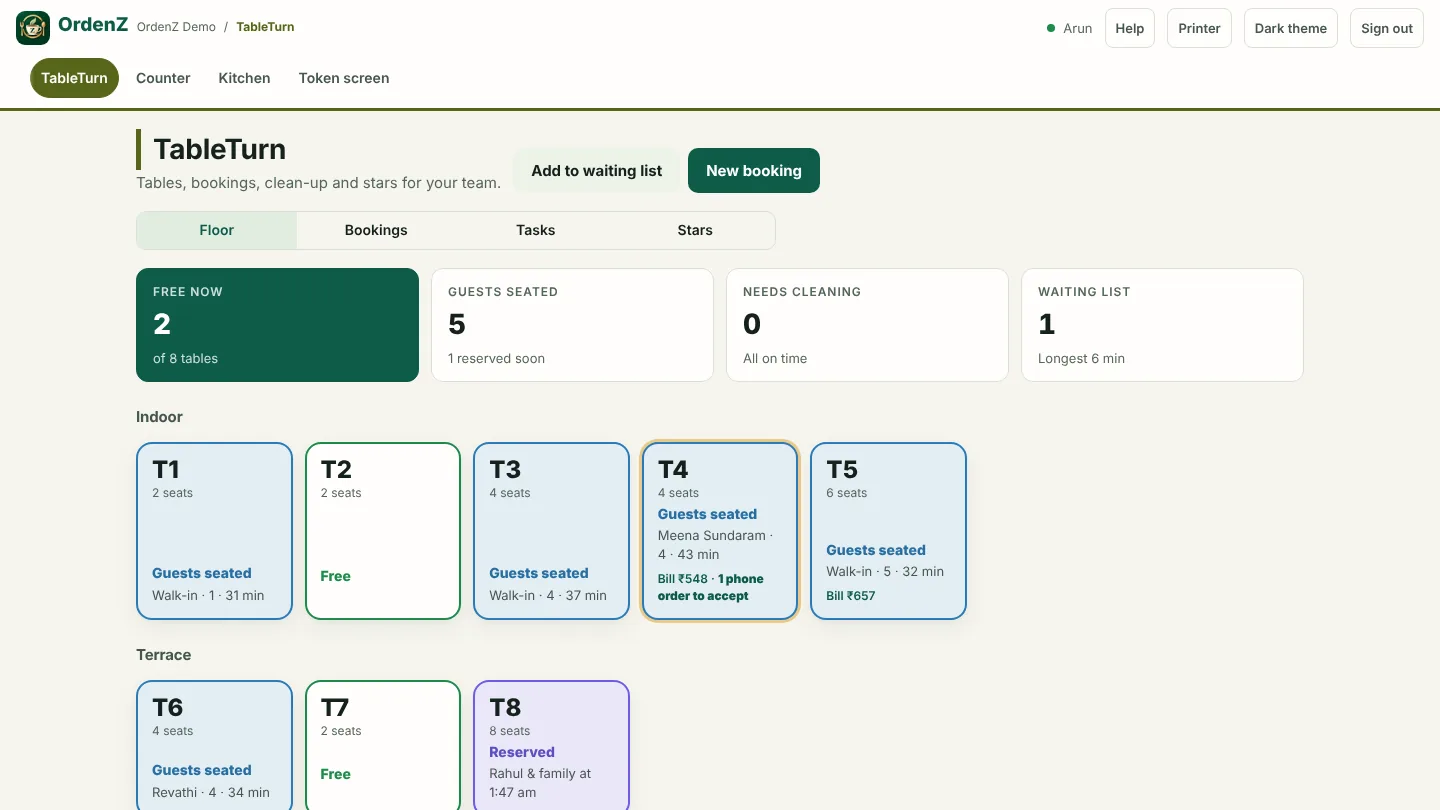
Captain
Every table at a glance, bookings, the waiting list, and table QR orders waiting for a yes.
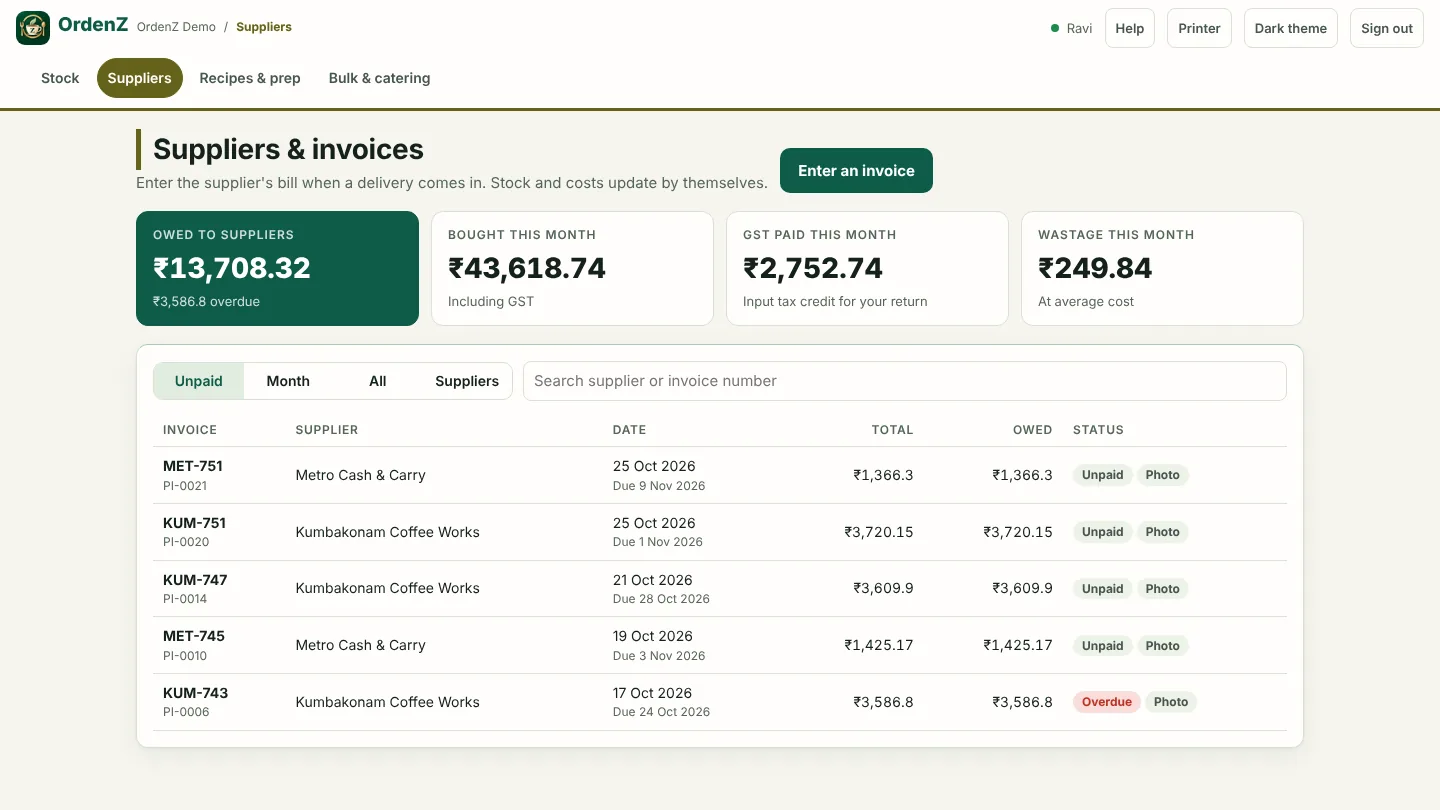
Store keeper
Supplier bills with tax and a photo, stock counts, wastage and what you owe each supplier.
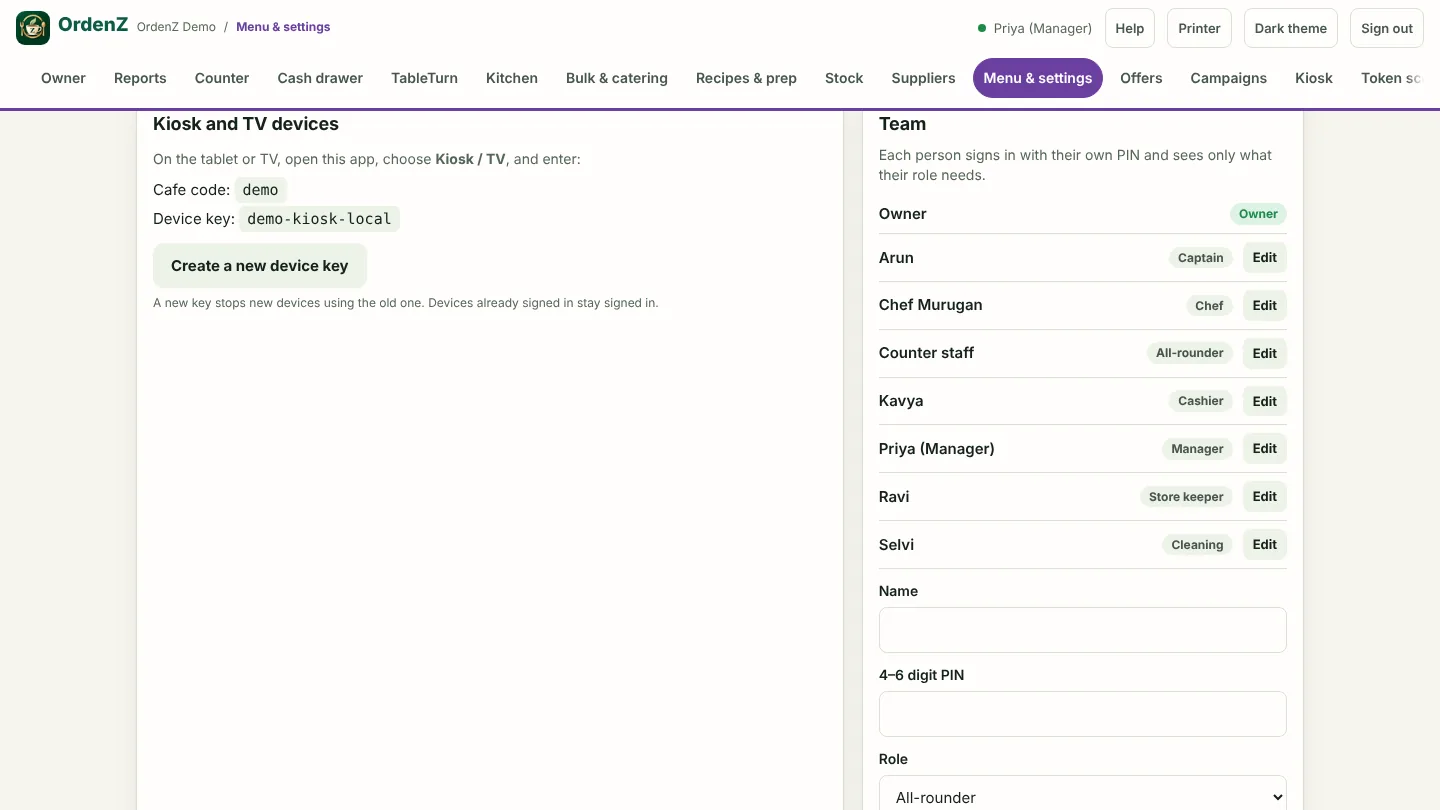
Manager
Runs the day: menu and prices, team PINs, offers and reports. Not the plan or the billing.
Cleaning
Their own clean-up jobs, finished with a photo of the clean table.
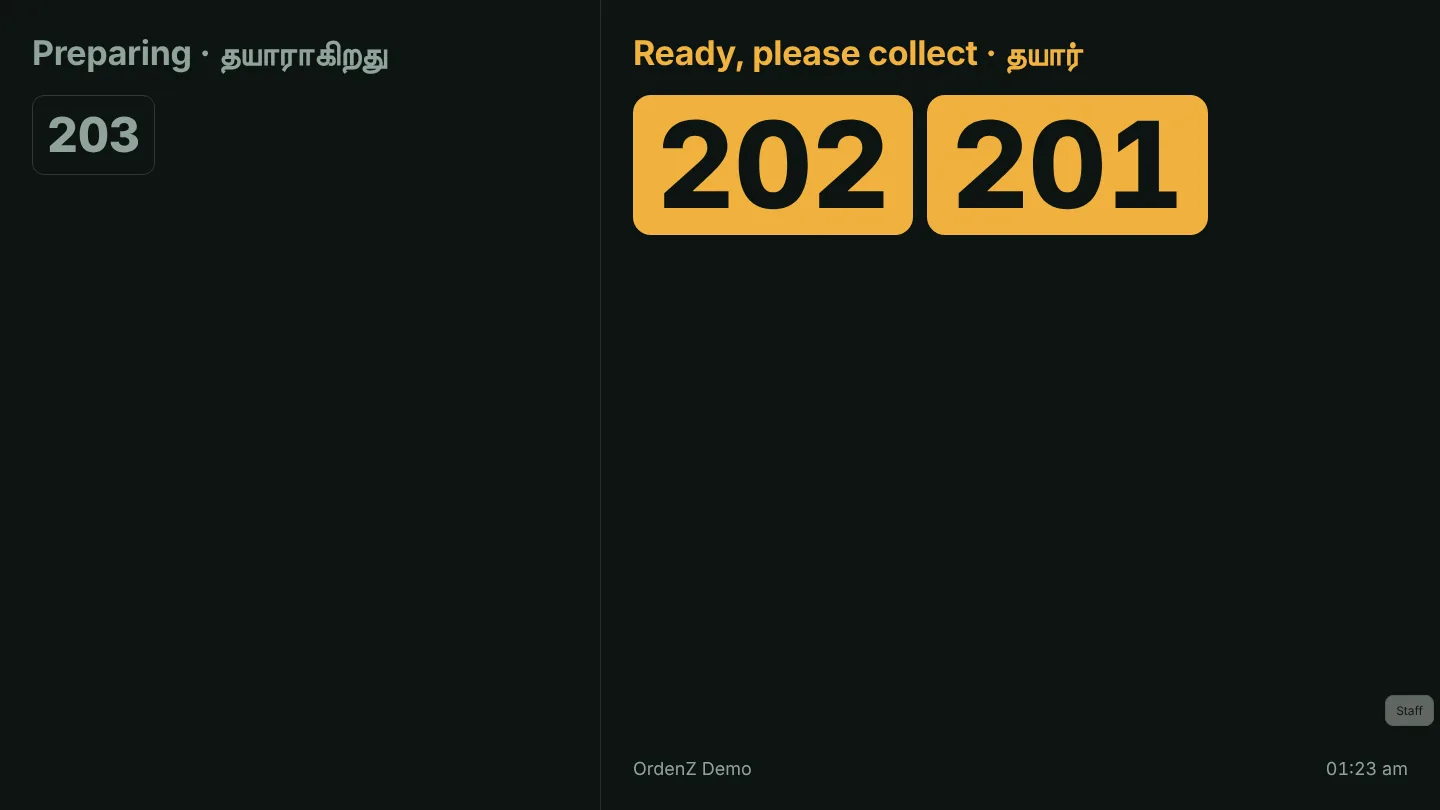
Token TV
Order numbers on any TV as they're ready, in two languages, with a chime.
The Kuala Lumpur demo cafe
The same app set up for Malaysia: prices in RM, a 10% service charge and 6% SST, cash rounded to 5 sen, DuitNow at the counter, MyInvois files, and a kiosk in English, Bahasa Melayu and Chinese.
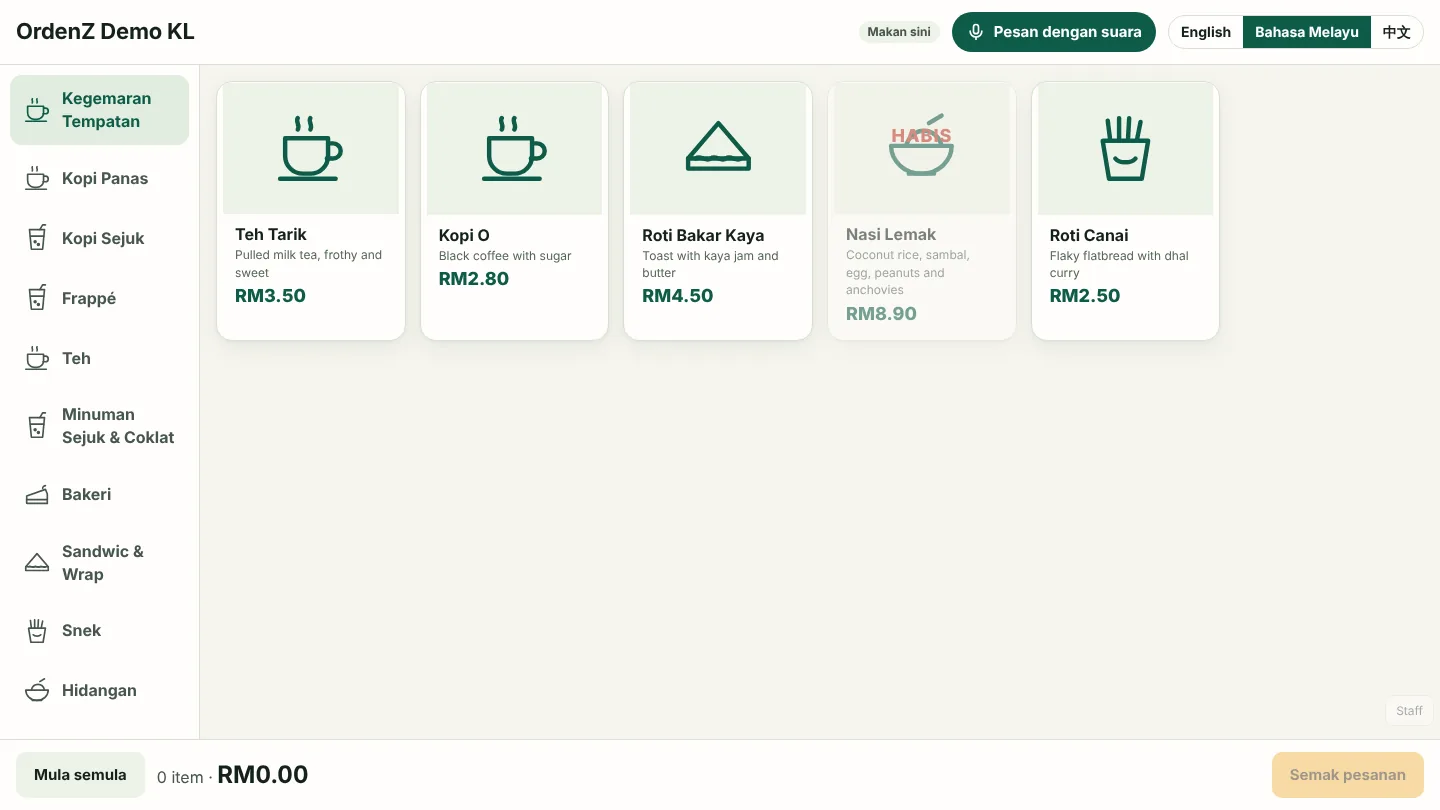
Kiosk in Bahasa Melayu
Teh Tarik, Nasi Lemak and the coffee menu, in Malay, Chinese or English.
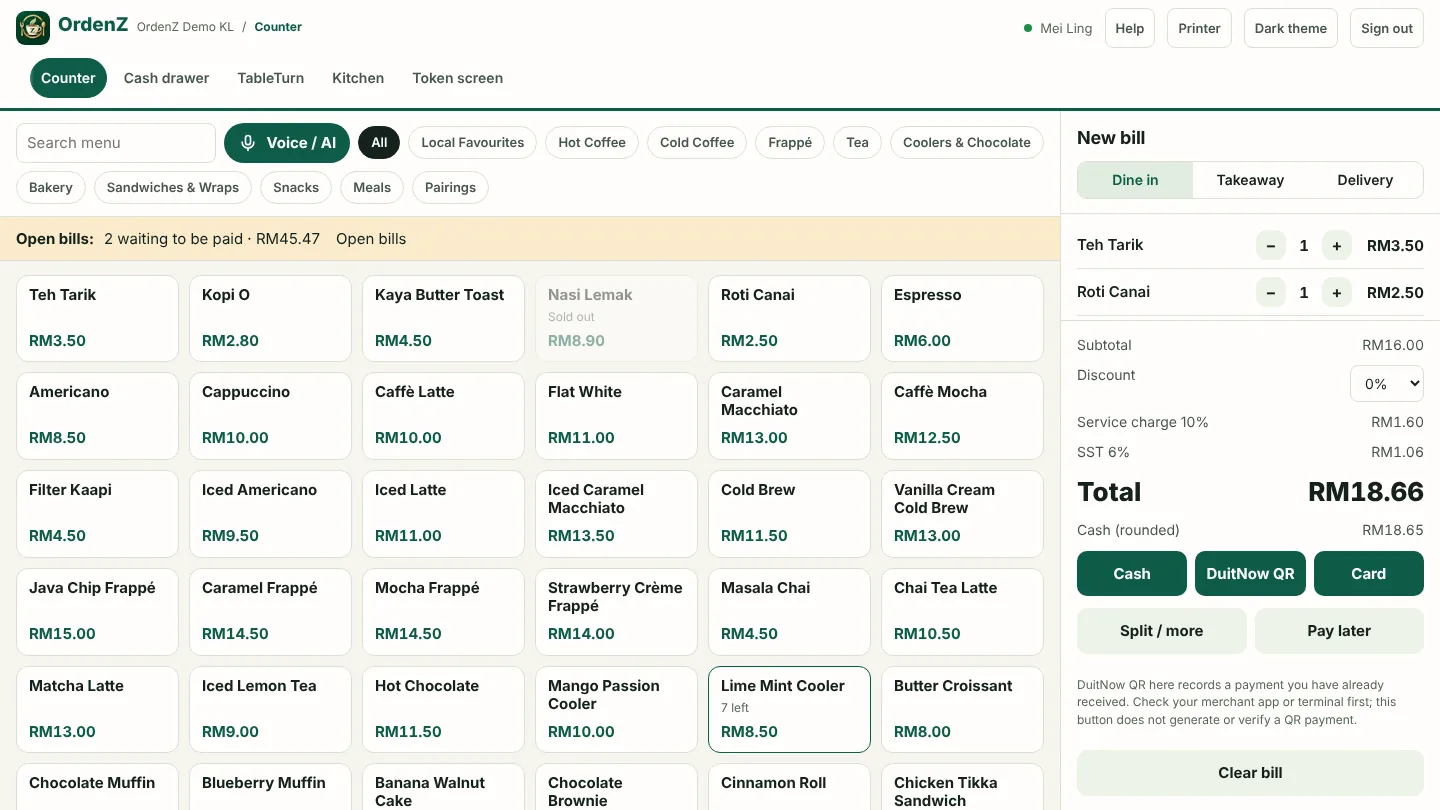
Cashier (Malaysia)
Service charge, SST and 5-sen cash rounding on every bill, with SSM and SST numbers.
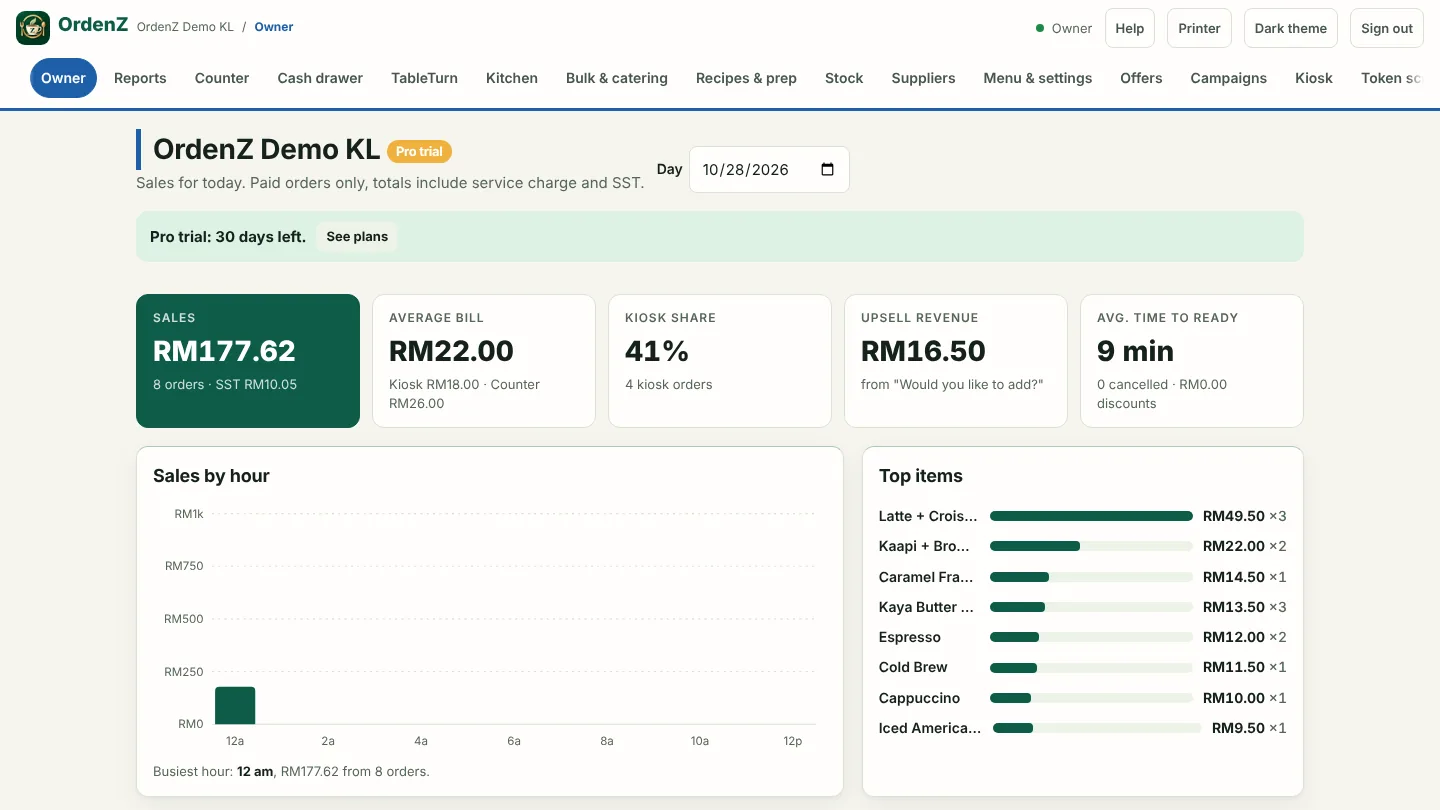
Owner (Malaysia)
Sales in RM, SST collected, suppliers, catering and MyInvois e-invoice files.
Payments in the demo are simulated, and nothing reaches real customers. Passwords, the plan and WhatsApp sending are switched off.
Try the kiosk and counter offline
A small, separate sample of the kiosk, counter, kitchen and token screen that runs in your browser. Payments are simulated and it isn't the full app; the live demo has everything.